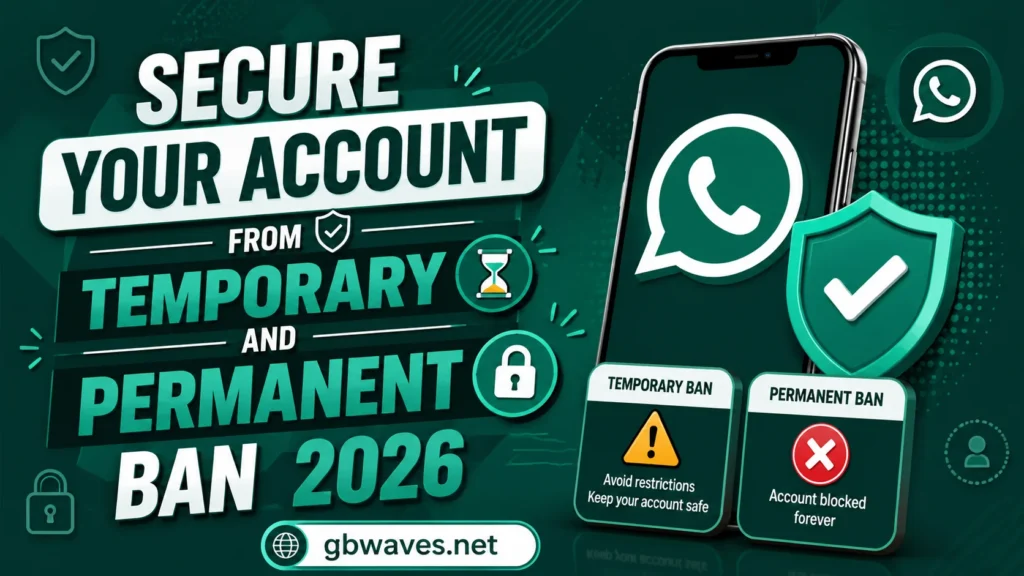
Secure Your Account from Temporary and Permanent Ban 2026
Getting banned is the single biggest fear of anyone using a WhatsApp mod like GB WhatsApp, GBWhatsApp Pro, FM WhatsApp, or WhatsApp Plus. The official WhatsApp, run by Meta, has been actively detecting unofficial clients for years, and the rules have tightened in 2026. A temporary ban can lock you out for a few days, and a permanent ban can take your number, your contacts, and your group memberships with it. The good news is that most bans are preventable with a few simple habits.
This guide explains what triggers bans, how to lower your risk, and what to do if you are already banned. We will also look at the settings inside GB WhatsApp that help you stay under the radar, the behaviors to avoid, and how to recover when things go wrong. Treat this as a checklist you can return to whenever you install a new build or change how you use the mod.
How WhatsApp Detects Mods
Before we get into prevention, it helps to understand how detection works. WhatsApp’s servers do not just look at the app on your phone. They analyze the client signature, the way messages are formatted, the timing of network requests, and the behavior patterns of your account. When the client signature matches an unofficial build, or when the timing of requests looks suspicious, the system flags the account.
In 2026, the detection is more sophisticated than it was even two years ago. WhatsApp uses machine learning to identify patterns that are common in modded clients, including subtle differences in how media is uploaded, how status updates are posted, and how group invitations are sent. A single suspicious action rarely triggers a ban, but a pattern of them does.
The mod developers have responded with anti-ban patches, which try to mimic the official client’s signature and behavior. These patches help, but they are not perfect, and they are most effective when paired with sensible user behavior. That is where this guide comes in.
The Behaviors That Trigger Bans
The first category of triggers is volume. Sending the same message to dozens of contacts in a short window, or broadcasting to a list of hundreds of recipients, looks like spam to WhatsApp’s systems. Even if the messages are legitimate, the pattern is enough to get flagged. The official WhatsApp caps broadcast lists at 256 contacts for this reason, and mods that allow unlimited broadcasting are pushing the limits.
The second category is group activity. Joining many new groups in a short period, sending the same message to multiple groups at once, or being added to groups by people you do not know can all trigger a review. This is especially true if your account is new to the mod, since sudden changes in behavior look suspicious.
The third category is content. WhatsApp’s terms prohibit hate speech, threats, and certain types of adult content. Mods do not change these rules. If you post content that violates the official terms, you can be banned regardless of which client you are using.
The fourth category is version. Older versions of mods often have outdated anti-ban patches or known signatures that WhatsApp has already blacklisted. Running an old build is one of the easiest ways to get flagged, even if your behavior is otherwise normal.
Habits That Lower Your Ban Risk
The first habit is to stay on the latest version of your mod. Newer builds include the freshest anti-ban patches and updated client signatures. Sites like gbwaves.net publish the latest stable releases along with the changelog, so you can verify what you are installing. Skipping updates to avoid losing a feature is rarely worth the risk.
The second habit is to keep your messaging patterns natural. Do not send the same message to dozens of contacts in a few minutes. Do not join ten new groups in an hour. Do not run mass-marketing campaigns through a personal account. If you need to communicate with many people, use a channel, which is designed for that purpose and is not flagged as spam.
The third habit is to enable the in-app privacy settings that reduce your visibility. Hide your online status, freeze blue ticks, and use anti-revoke selectively. The more your account looks like a normal user account, the less likely it is to be flagged.
The fourth habit is to avoid using your mod on multiple devices at the same time. WhatsApp’s multi-device feature works by registering each device with the server, and modded clients are not optimized for that. Stick to one device at a time, and you reduce the surface area for detection.
The Settings to Enable in GB WhatsApp
Inside GB WhatsApp, there are a few settings that help with ban resistance. The first is the Anti-Ban switch in the GB Mods menu. Make sure it is enabled, and check after every update that it is still on, since updates can sometimes reset preferences.
The second is the Message Delay setting. When you send a broadcast to multiple contacts or groups, you can configure GB WhatsApp to add a small delay between messages. A delay of two to five seconds is usually enough to avoid looking like a bot, without making the process painfully slow.
The third is the Group Join Limit setting. Some GB WhatsApp builds let you set a cap on how many groups you can join per day. If your mod offers this, set it to a reasonable number, like five or ten, and you will avoid the suspicious pattern of mass group joining.
The fourth is the Status Privacy setting. Limiting who can see your status updates, and avoiding auto-posting status updates from other apps, can reduce the signals that WhatsApp’s systems pick up.
What to Do If You Get a Temporary Ban
If you receive a temporary ban, the message will usually say something like “Your account is temporarily banned. You will be able to use it again in X hours.” The countdown is real, so do not try to log in early or switch devices to circumvent it. Doing so can extend the ban.
While you wait, take the opportunity to update your mod. Go to a trusted source, download the latest build, and install it. Once the ban timer expires, you can log back in on the new version. Most temporary bans clear in 24 to 72 hours, and you will be back to normal.
After you regain access, review your recent behavior. If you were mass-messaging or running automated tools, dial it back. The next ban is more likely to be permanent, and you do not want to push your luck.
What to Do If You Get a Permanent Ban
Permanent bans are tougher. The app will refuse to log in, and the timer will not expire. Your options are limited but not zero. The first is to appeal through WhatsApp’s support form, which you can find in the help section of the official app or on the WhatsApp website. Explain that you were using a mod, and ask for a review. Some users have had their accounts reinstated, especially for first offenses.
The second option is to switch to a new number. This is a last resort, but it does work technically. You will lose your chat history, group memberships, and contacts, but you can start fresh on a new SIM. To avoid repeating the mistake, install the official WhatsApp on the new number, or use a mod with strict anti-ban settings.
The third option is to migrate to the official app. If your account is too important to risk, the official client is the only fully ban-proof choice. You can import your chats from the mod’s backup, and you will be back to a stable experience, just without the mod’s extra features.
Ban Prevention Checklist
| Habit | Why It Helps |
|---|---|
| Stay on the latest mod version | Newer anti-ban patches, updated signatures |
| Avoid mass messaging | Reduces spam-like patterns |
| Limit group joining | Lowers suspicion during onboarding |
| Use message delays | Mimics human typing pace |
| Enable in-app anti-ban | Uses the developer’s protection layer |
| Hide online status | Reduces visibility to WhatsApp’s systems |
| Avoid automation tools | Sends unnatural traffic patterns |
| Keep one device active | Reduces multi-device fingerprinting |
FAQs About Avoiding WhatsApp Mod Bans (2026)
It is unlikely for a single, normal use. Most bans come from patterns like mass messaging or using outdated versions. If you chat normally and keep the app updated, the risk is low.
Temporary bans usually last between 24 and 72 hours. The exact duration depends on the violation history of the account and the version of the mod.
It helps, but it is not a guarantee. Pair it with sensible behavior, and your risk drops significantly. Rely on it alone, and you are still exposed.
Sometimes, especially for first offenses. Appeal through WhatsApp’s support form and explain the situation. There is no guarantee, but it is worth trying before giving up the account.
No. Every unofficial client carries some risk. The closest thing to ban-proof is the official app, which is also the only fully supported option. For users who accept some risk, the latest build from gbwaves.net is one of the safer choices.
Conclusion
Ban prevention is less about a single trick and more about consistent habits. Stay on the latest version, keep your messaging natural, enable the in-app protections, and avoid the patterns that WhatsApp’s systems are designed to catch. The risk never goes to zero when you use a mod, but it can be small enough that you rarely think about it.
If you do get banned, take it as a signal to adjust your behavior. Temporary bans are recoverable, and permanent bans are rare for careful users. The goal is to enjoy the features of GB WhatsApp without drawing the kind of attention that triggers WhatsApp’s detection systems. For more tips on staying safe and up to date, the security guides on gbwaves.net are a useful resource to keep bookmarked.